User Journeys - Quick Start Guide
This guide helps new users identify the role-specific documentation that matches how they use Image Factory.
Find Your Role in 10 Seconds
Are you...
Managing the entire system or tenant? → Read OWNER_JOURNEY.md
- Full access to everything
- Team and project management
- Strategic decisions
- Billing and security
Managing a specific project? → Read ADMIN_JOURNEY.md
- Project administration
- Team coordination
- Configuration management
- Quality assurance
Building and executing? → Read MEMBER_JOURNEY.md
- Create and monitor builds
- Access artifacts
- Collaborate with team
- Debug and troubleshoot
Monitoring and auditing? → Read VIEWER_JOURNEY.md
- View builds (no action)
- Review artifacts
- Generate reports
- Compliance auditing
What’s in Each Document
Every journey document contains:
- Role Overview - What this role does and their key responsibilities
- Permissions Matrix - Exactly what they can and cannot do
- Getting Started - First steps when joining
- Daily/Weekly Workflows - Typical activities and rhythm
- Core User Journeys - 3-5 detailed workflow examples with steps
- UI & Navigation - Where to find things in the interface
- Key Features - What's most important for this role
- Quick Actions - Common tasks and keyboard shortcuts
- Scenarios & Examples - Real-world usage patterns with time estimates
- Success Metrics - How to know you're succeeding in this role
Need Help Finding Something?
| Need | Document | Section |
|---|---|---|
| What can I do? | Your role's JOURNEY document | Permissions Matrix |
| How do I start? | Your role's JOURNEY document | Getting Started |
| How do I do X? | Your role's JOURNEY document | Core User Journeys |
| Where do I find X? | Your role's JOURNEY document | UI & Navigation |
| Comparing roles | INDEX.md | Permission Matrix |
| Training new person | INDEX.md | How to Use Documents |
| Learning workflows | Any JOURNEY document | Core User Journeys |
First Time Here?
Step 1: Identify Your Role
Use the "Are you..." section above ⬆️
Step 2: Read Your Journey Document
- New users: Read in order (20-30 minutes)
- Returning users: Jump to the section you need
- Managers: Share relevant sections with your team
Step 3: Reference as Needed
Bookmark the document and come back whenever:
- You need a reminder of what you can do
- You're onboarding someone new
- You have questions about permissions
- You want to learn about a specific workflow
Step 4: Explore Related Documents
Each journey links to deeper feature guides and technical references for the workflows covered in that role.
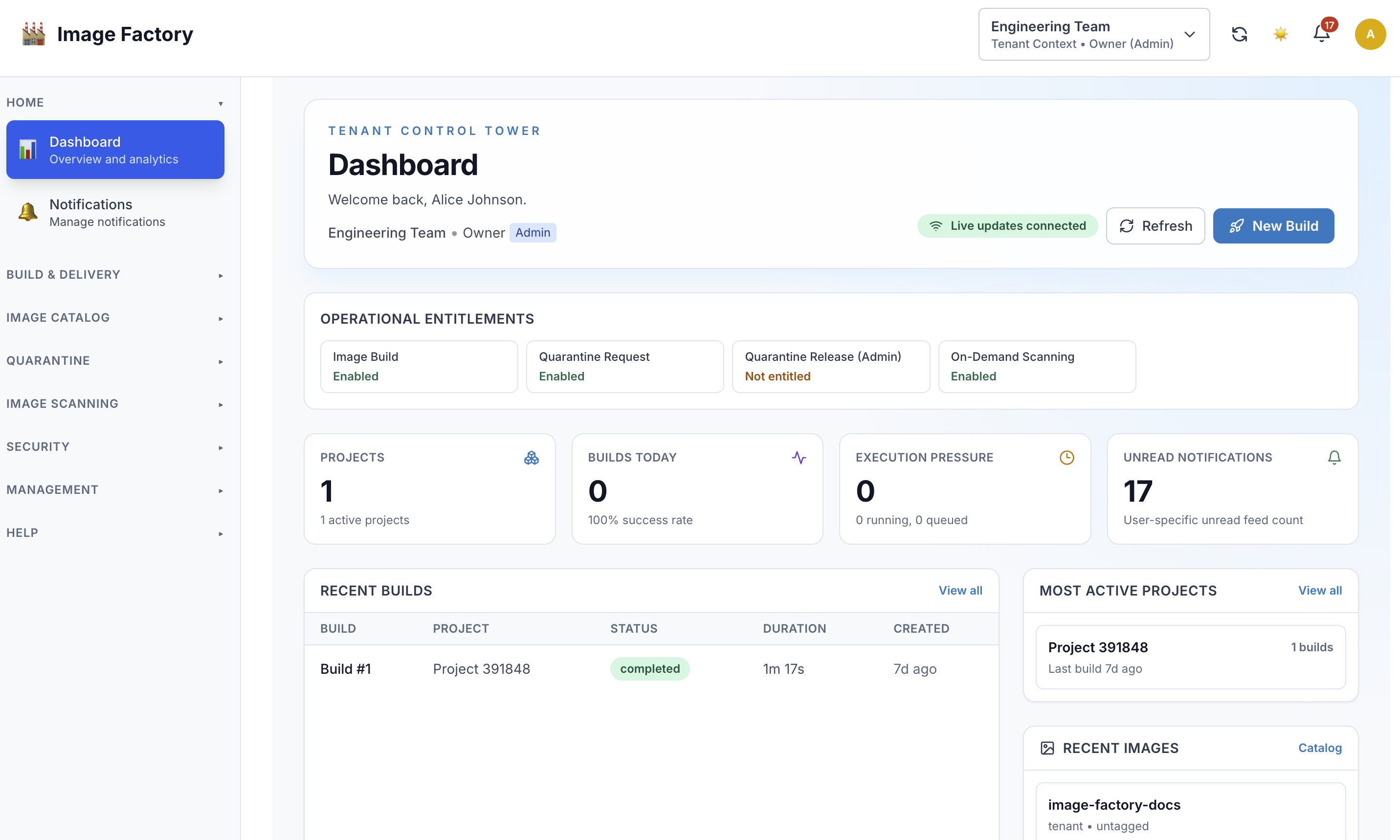
UI Snapshot
Tenant users typically start from a dashboard like this:
Reading Tips
- Use the table of contents in each guide to jump to the workflow you need.
- Search within the page with
Ctrl+ForCmd+Fif you already know the task name. - Treat the quick start as a routing guide, then use the role-specific document as your working reference.
Still Need Help?
If you can't find what you're looking for:
- Search your role's document - Use Ctrl+F or Cmd+F
- Check the FAQ section - At the bottom of each journey
- Ask your team lead - They can point you to the right section
- Contact support - See your role's document for support links
Related Documentation
- INDEX.md - Complete role comparison and permission matrix
- OWNER_JOURNEY.md - Tenant owner detailed guide
- ADMIN_JOURNEY.md - Project admin detailed guide
- MEMBER_JOURNEY.md - Developer detailed guide
- VIEWER_JOURNEY.md - Auditor detailed guide
Included Role Guides
| Document | Purpose |
|---|---|
| INDEX.md | Role comparison and navigation hub |
| OWNER_JOURNEY.md | Tenant owner guide |
| ADMIN_JOURNEY.md | Project administrator guide |
| MEMBER_JOURNEY.md | Builder and operator guide |
| VIEWER_JOURNEY.md | Read-only and audit-focused guide |
| QUICK_START.md | Quick role selection guide |